Whitespace & Upsell
Identify upsell and cross-sell opportunities across your customer base using the whitespace matrix, filters, and campaign export.
Written By Victor Raessen
Last updated About 1 month ago
The whitespace module helps you identify upsell and cross-sell opportunities within your existing customer base. It visualizes which services each customer is using and highlights gaps where they could benefit from additional solutions.
Note: The whitespace module requires the whitespace feature to be enabled and the Whitespace viewer permission.
How it works
The whitespace view is a grid: customers as rows, service categories from your PSA as columns. Each cell (tile) represents whether a customer has an active service in that category. On Autotask, those columns are billing codes — see Autotask data in Whitespace. On ConnectWise, those columns are product subcategories — see ConnectWise data in Whitespace. On HaloPSA, those columns are product groups — see HaloPSA data in Whitespace.
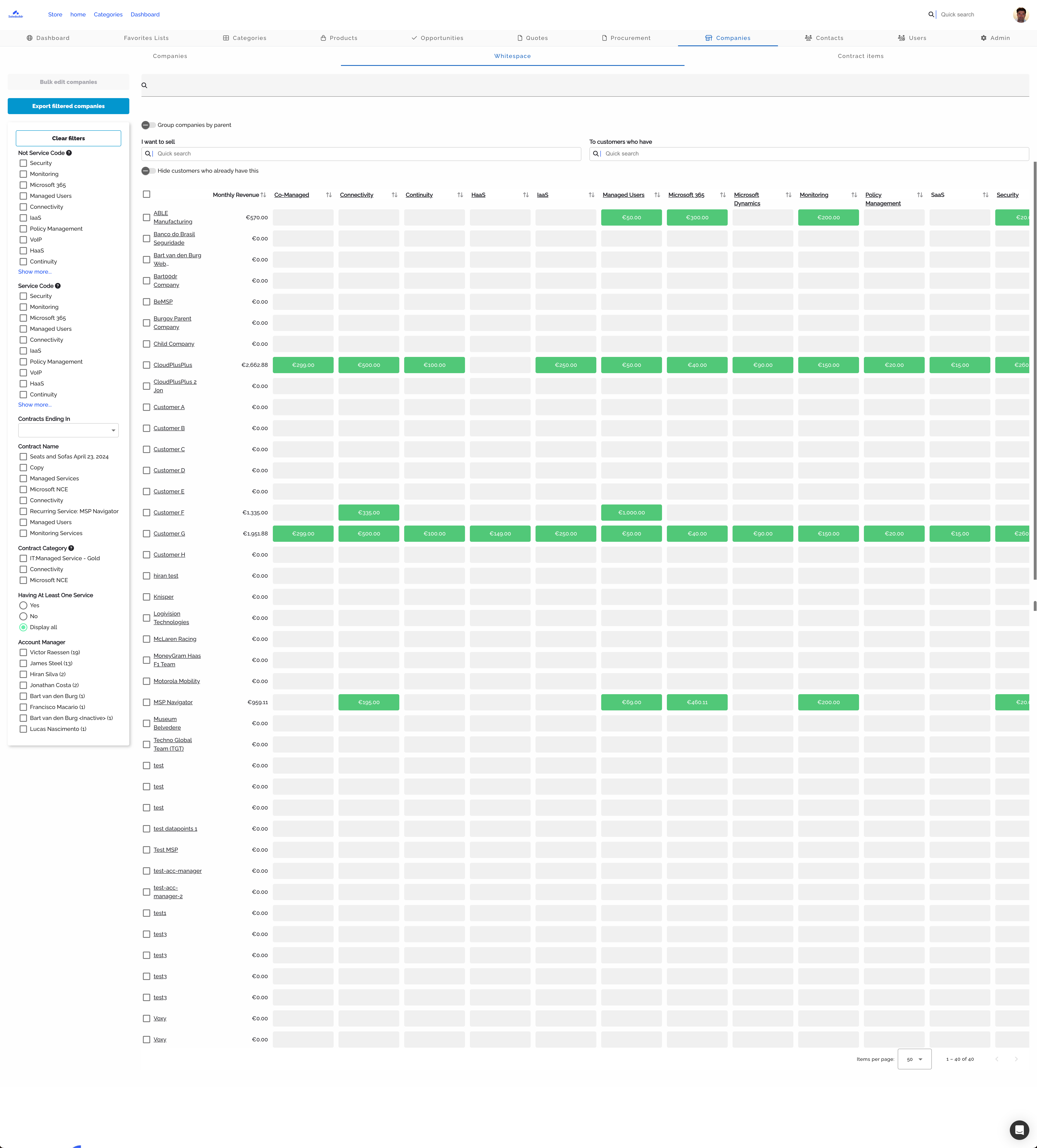
Whitespace matrix with customers as rows and service categories as columns Feb 20, 2026
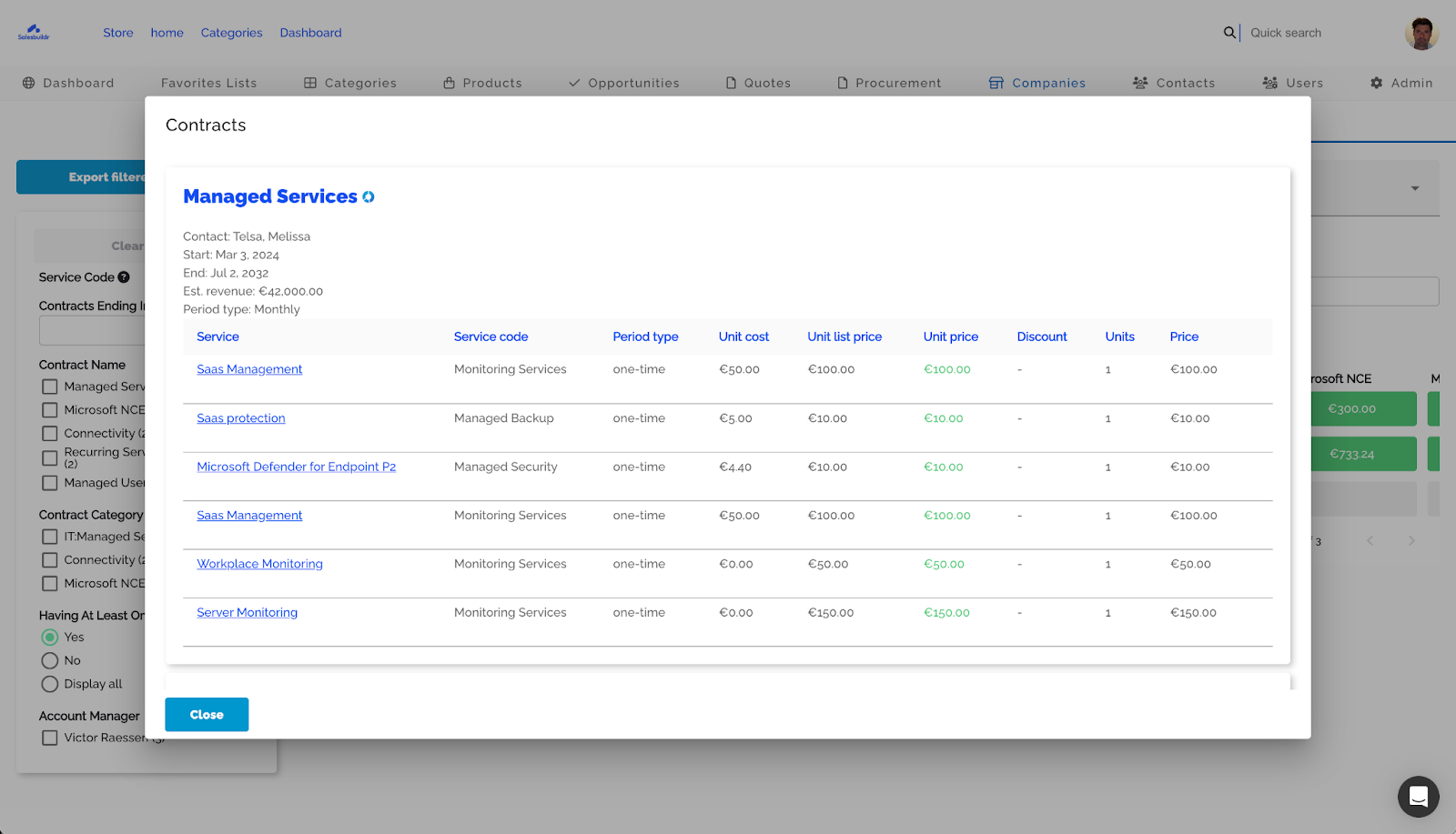
Contract detail popover showing service line items, costs, and revenue Feb 20, 2026
Tile colors
Additional indicators:
Red dot — Underbilling: the customer's unit price is below the list price
Best Upsell badge — Highlights the top upsell opportunity per category
Notes icon — A tile has a note attached with context about why or why not to sell
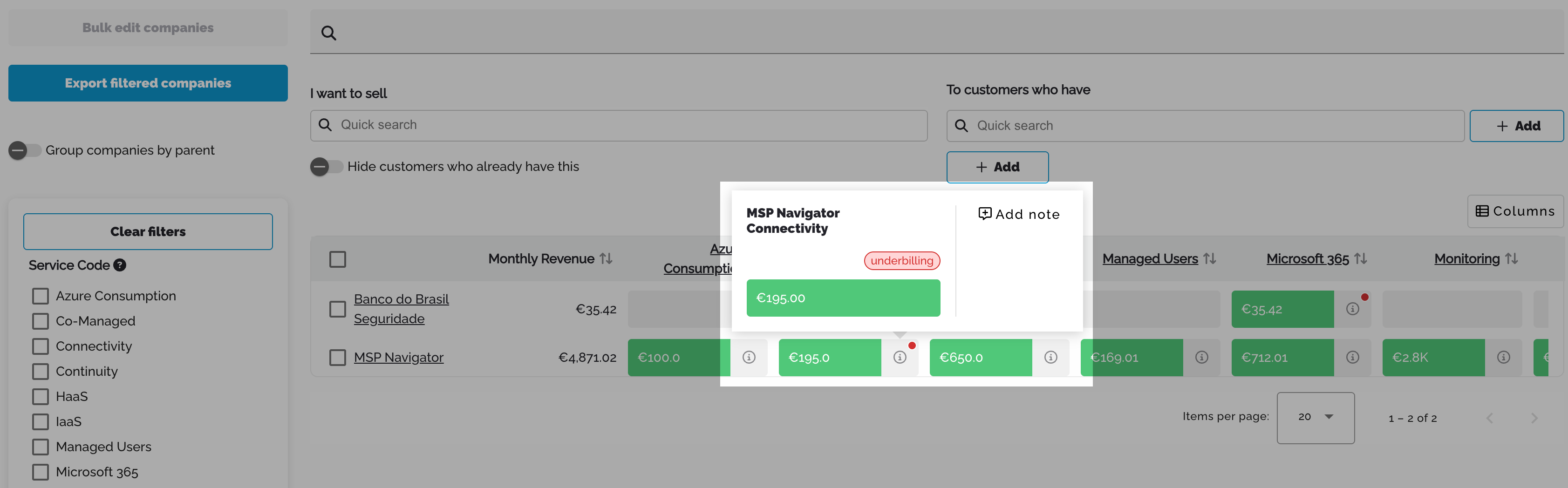
Tile popover showing revenue, underbilling badge, and Add note option Feb 20, 2026
Selling from whitespace
Use the I want to sell search to find products and see which customers could benefit. The grid updates to show Create (upsell opportunity) and Open (existing proposal) buttons per customer.
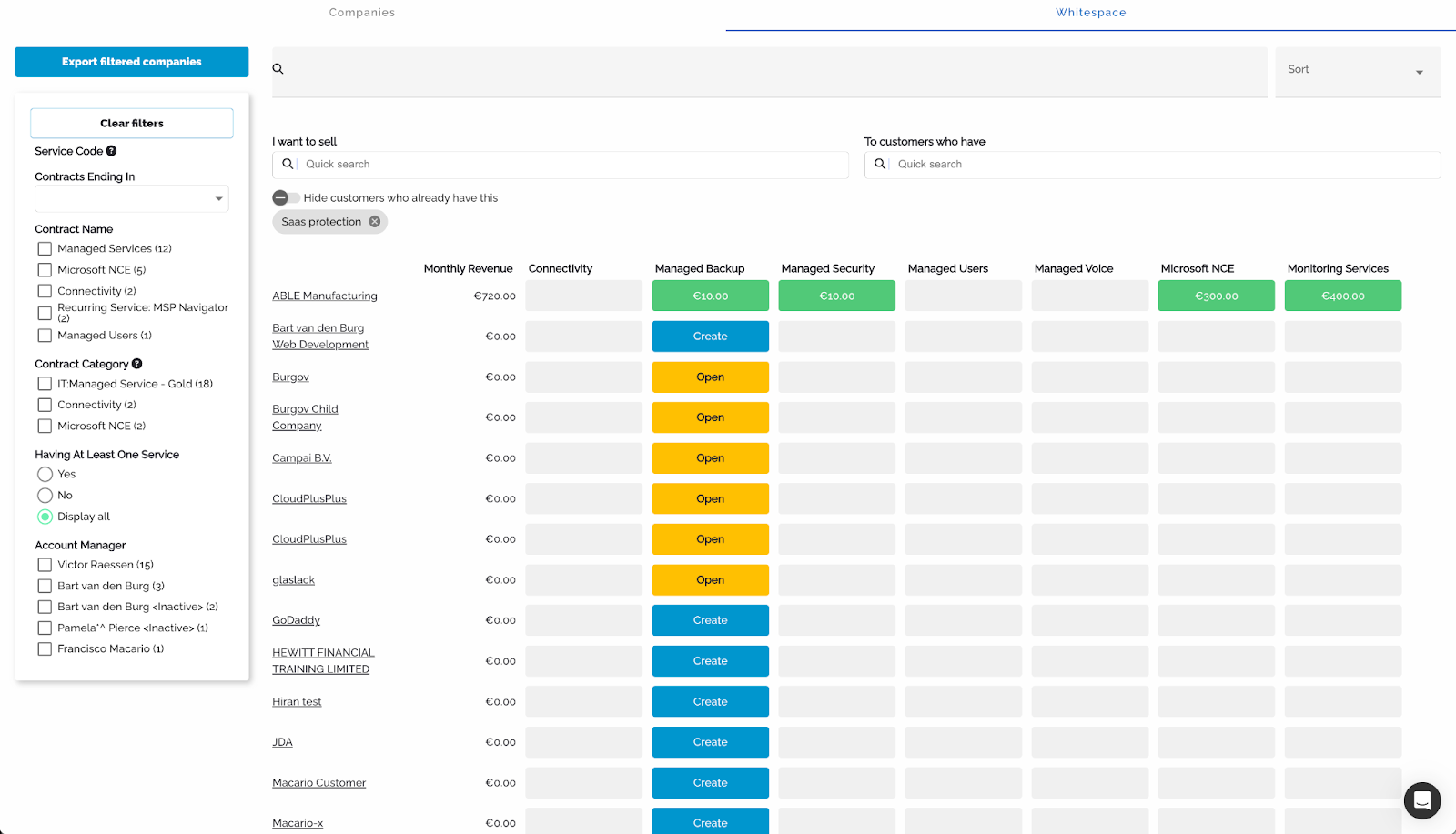
Filtering by product with "I want to sell" search and hide toggle Feb 20, 2026
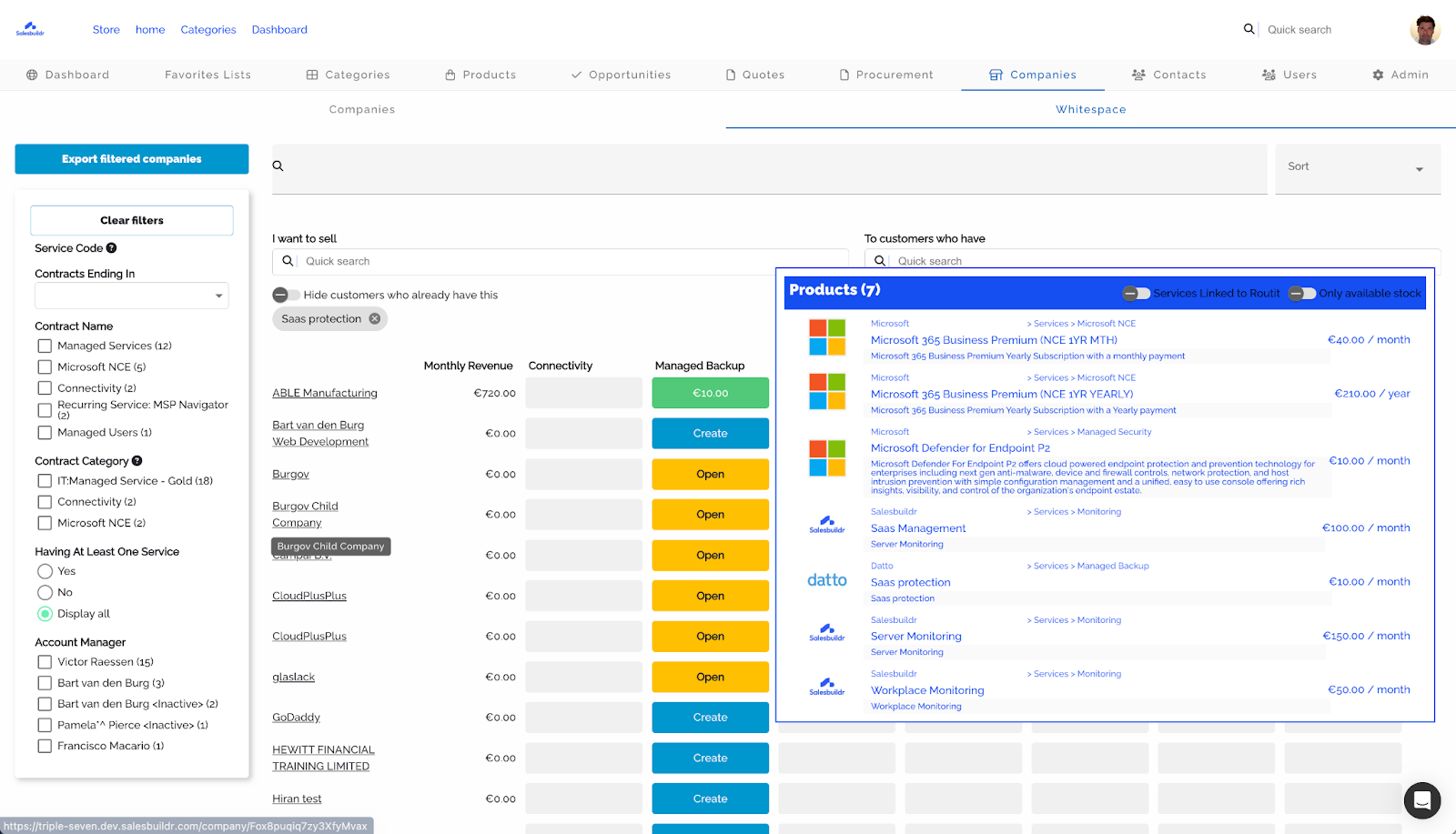
Product detail panel showing matching products with prices and categories Feb 20, 2026
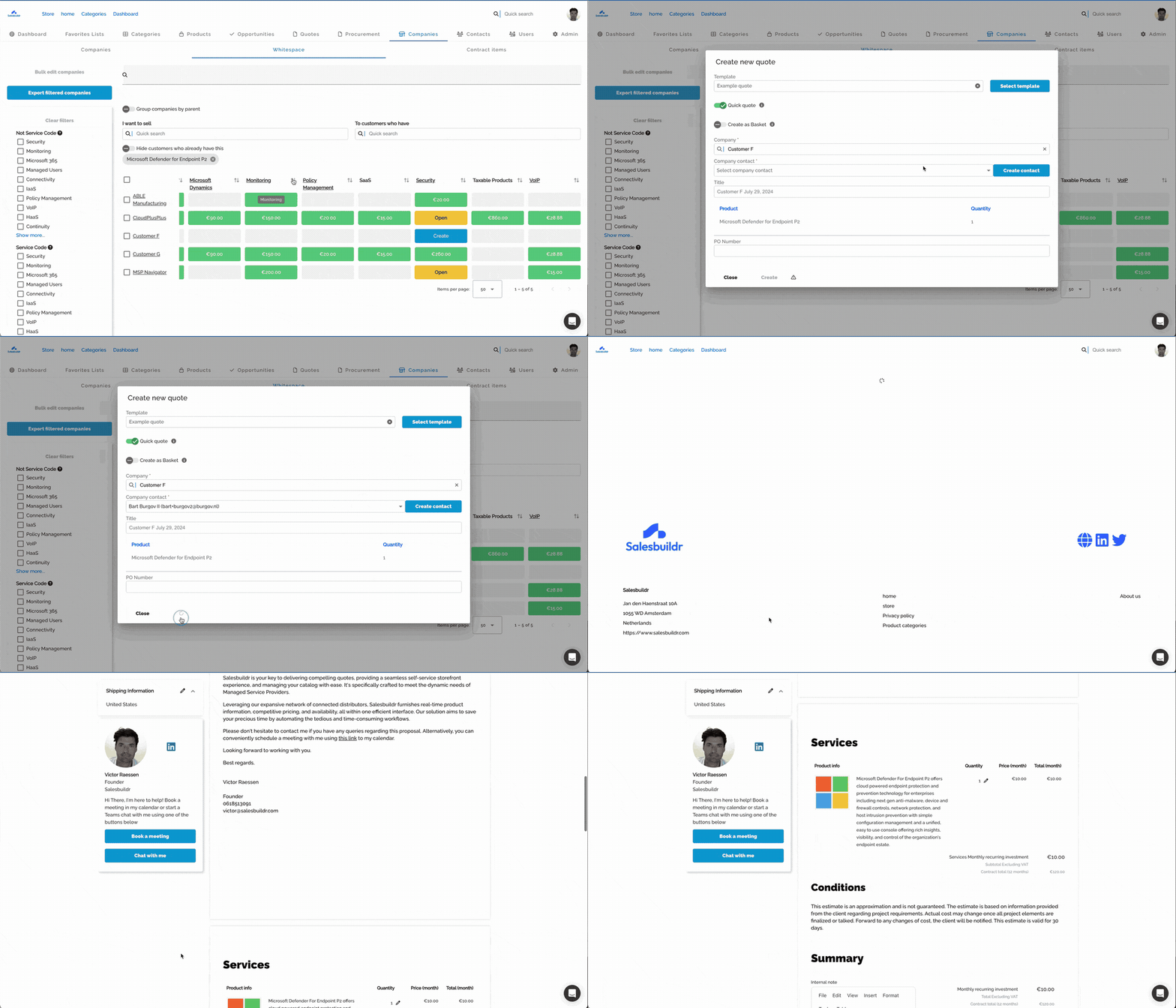
Selecting a product to sell and filtering the customer grid Feb 20, 2026
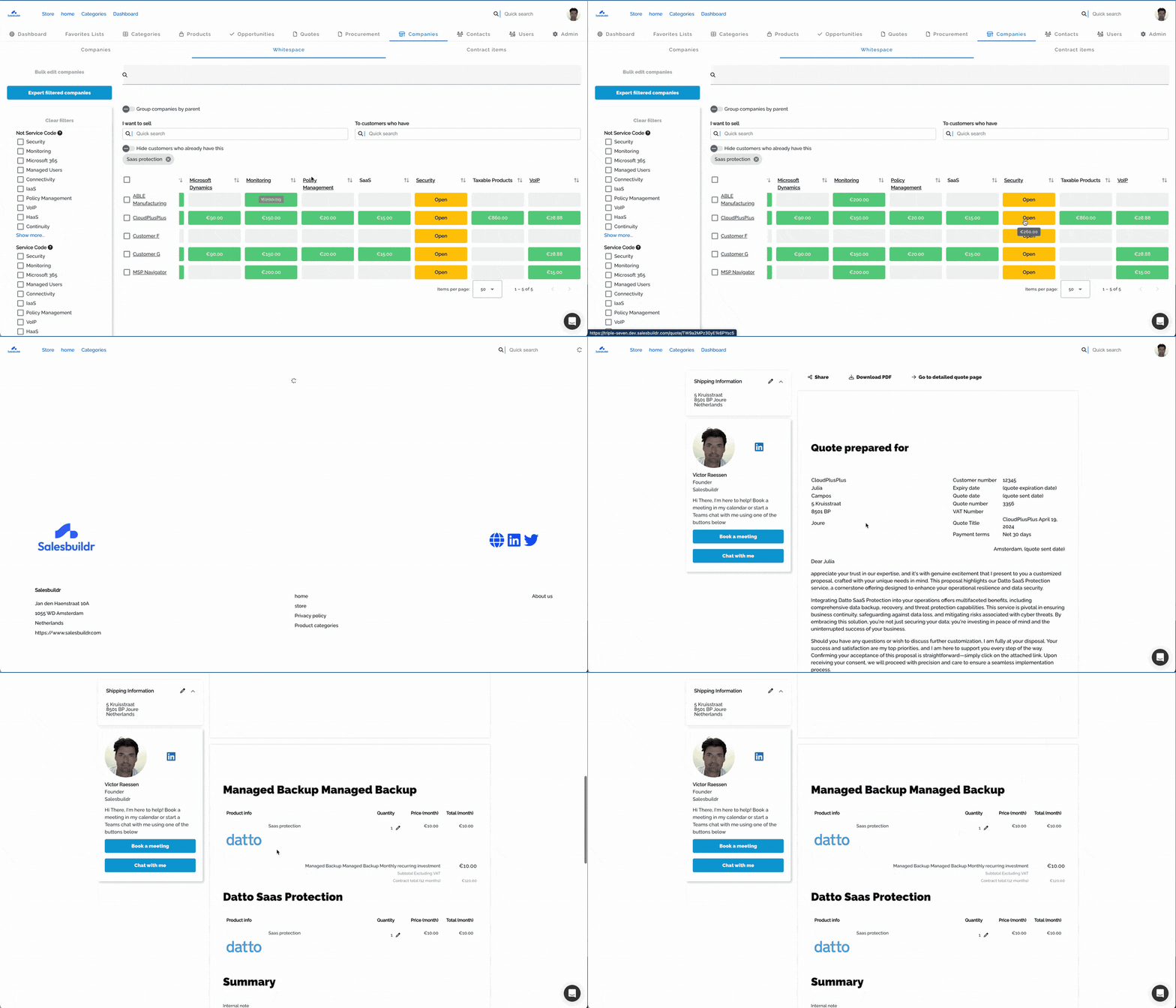
Toggling "Hide customers who already have this" to focus on prospects Feb 20, 2026
Filters
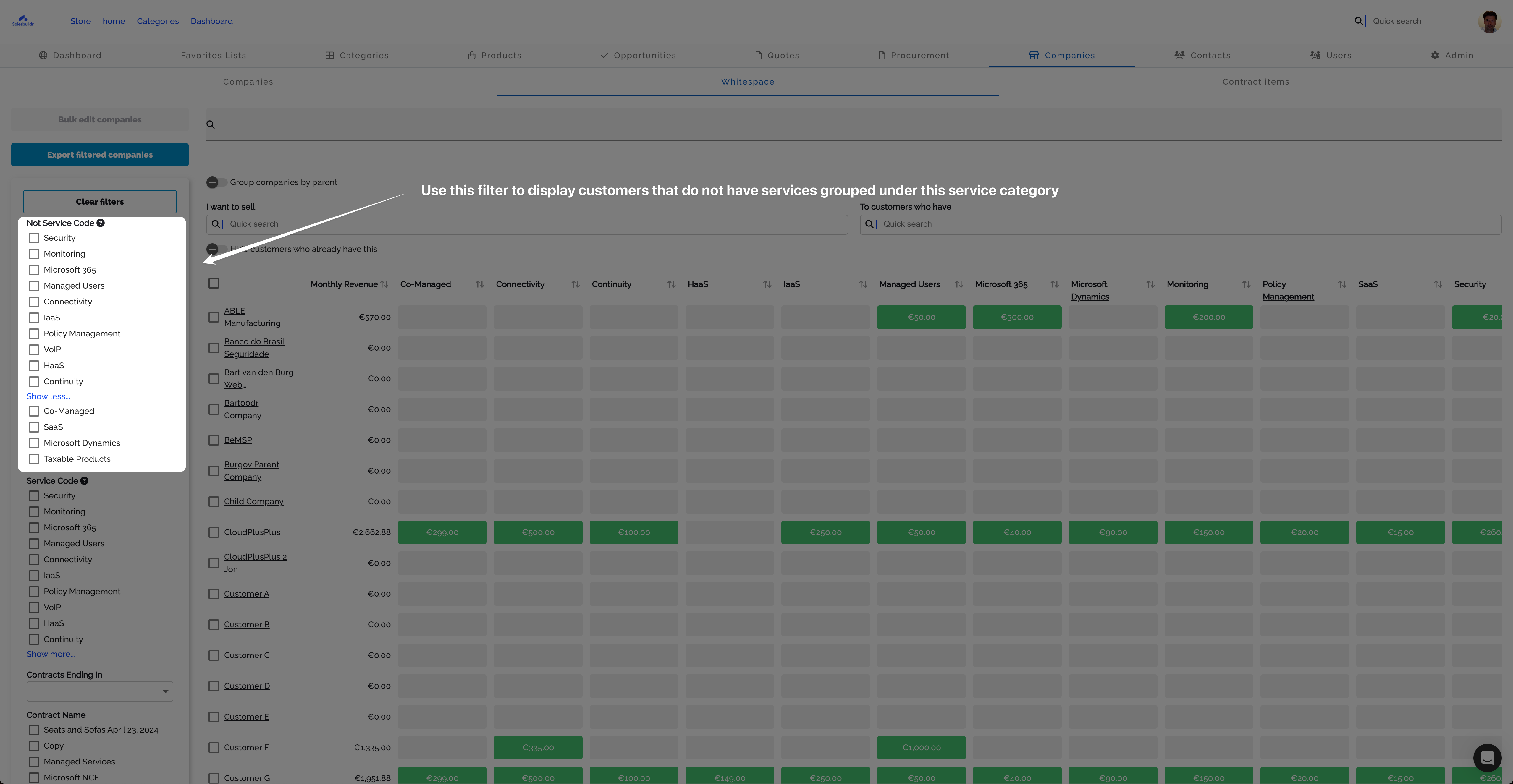
Not Service Code filter to find customers missing a service Feb 20, 2026
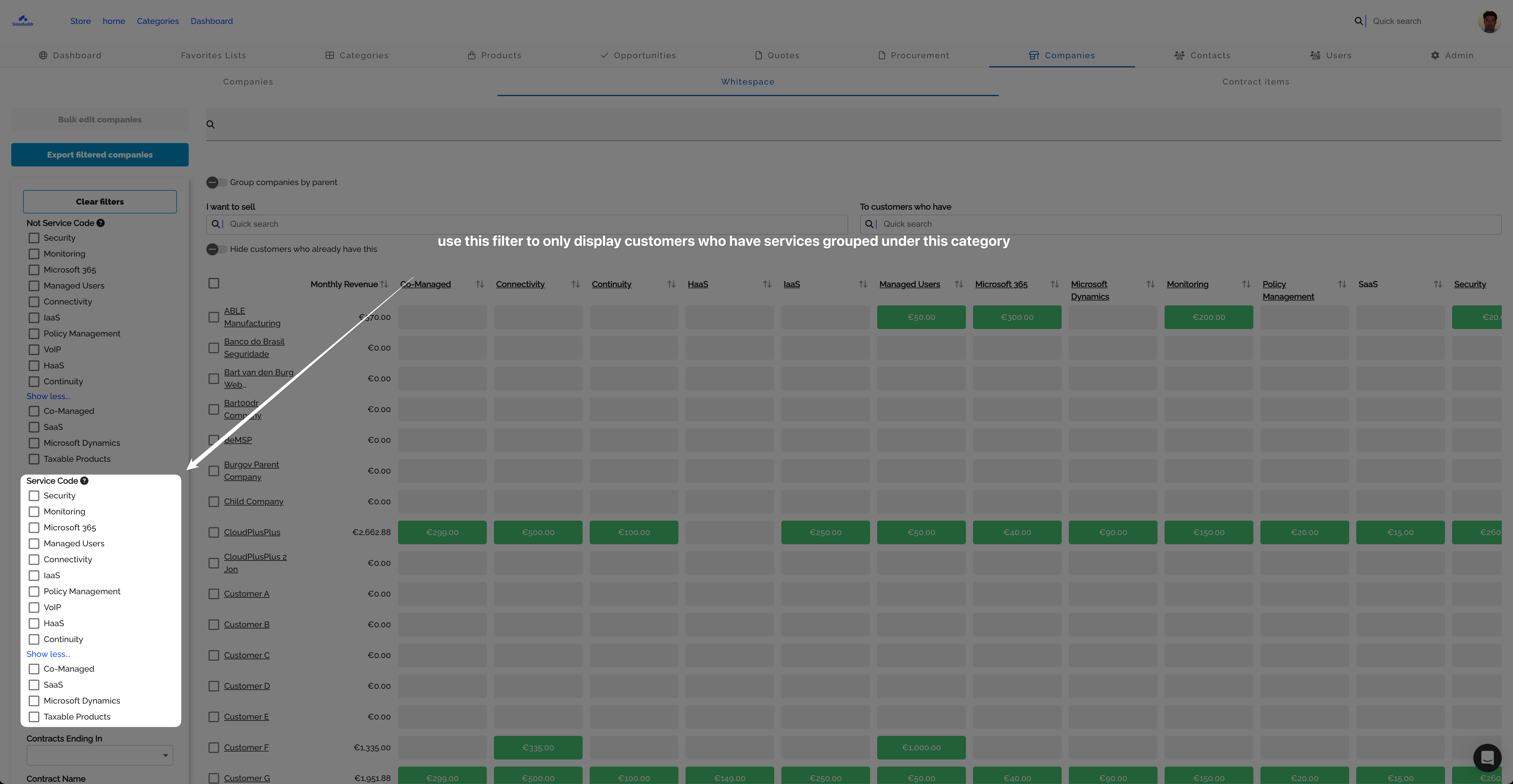
Service Code filter to find customers with a specific service Feb 20, 2026
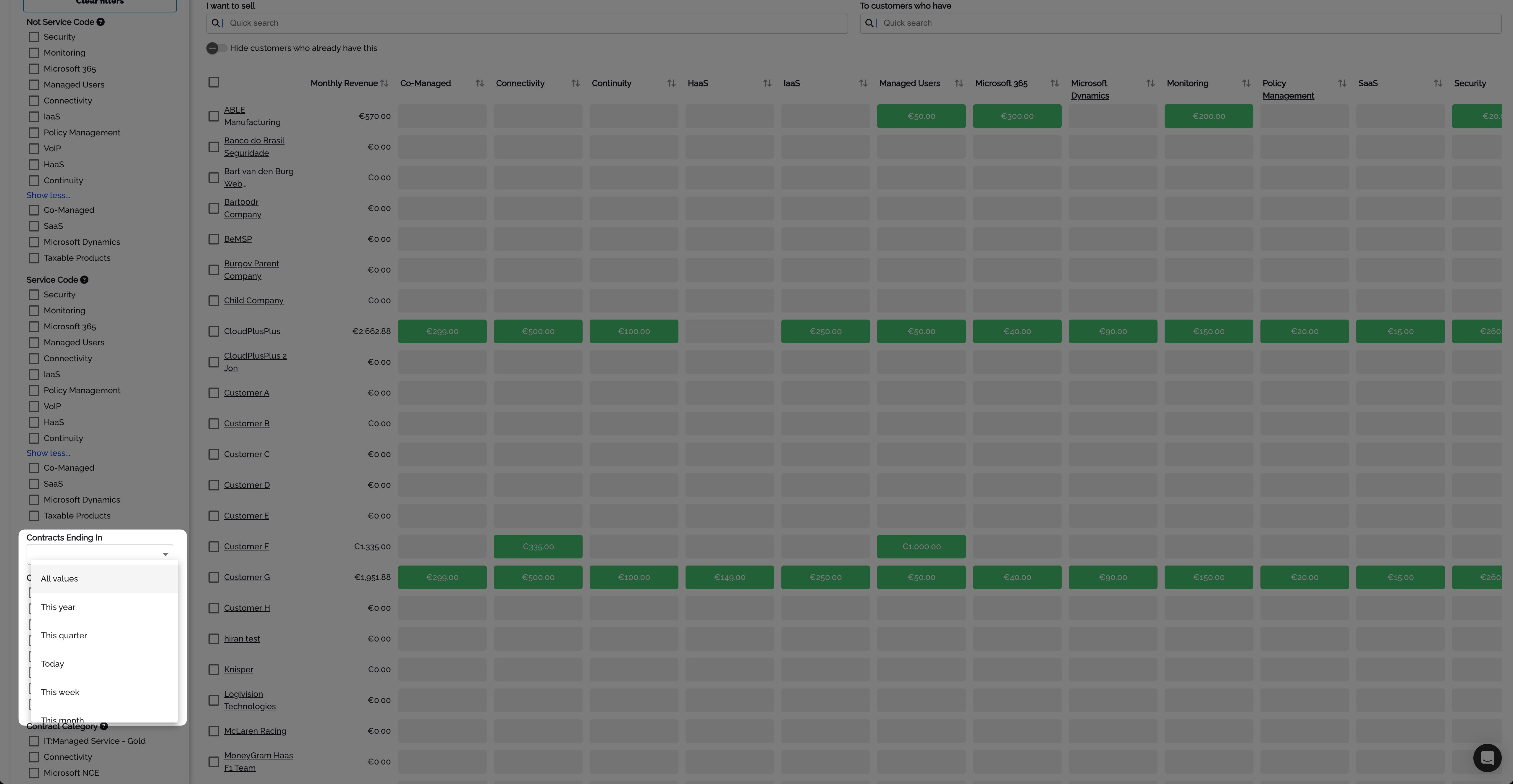
Contracts Ending In filter with time range options Feb 20, 2026
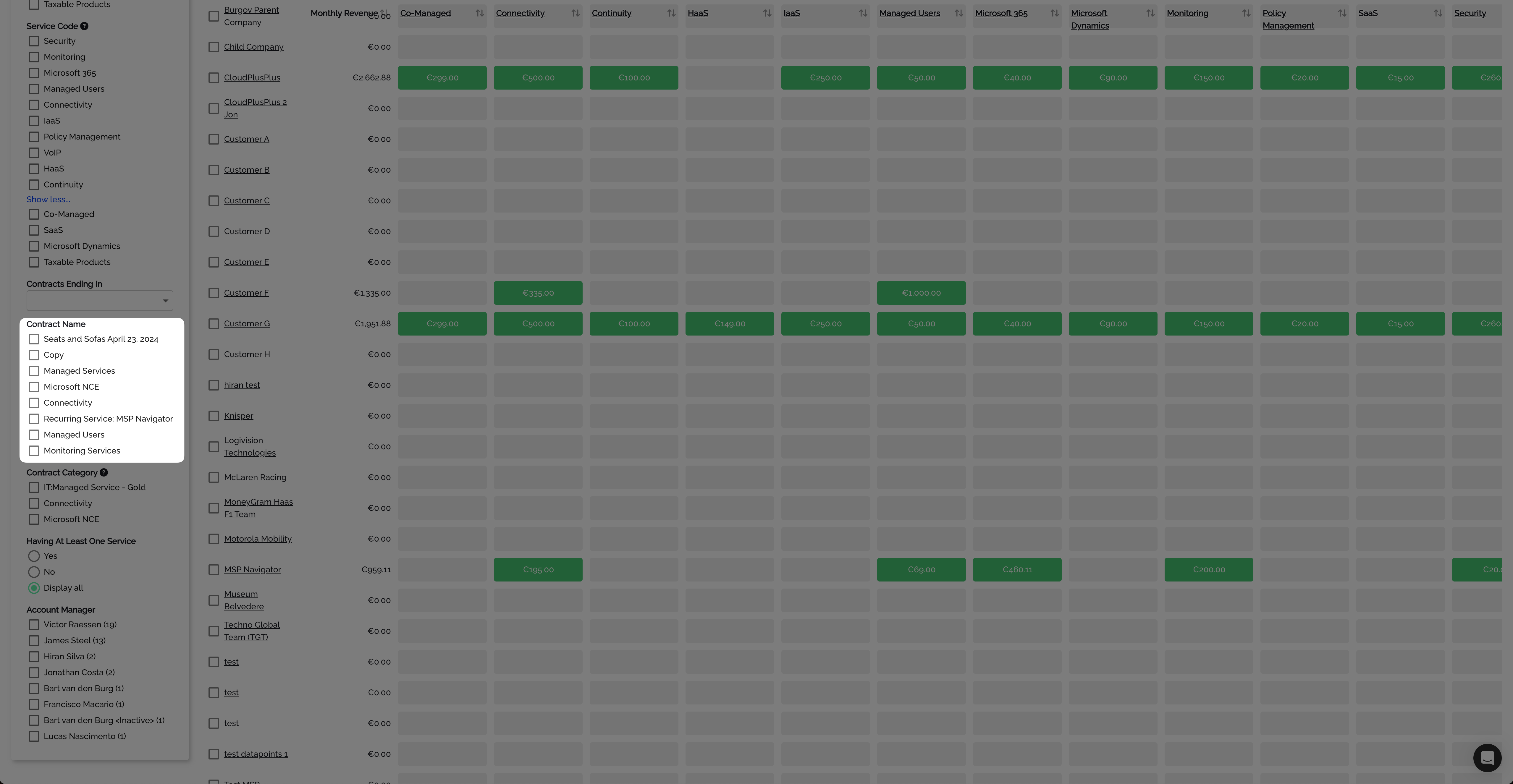
Contract Name filter with individual contract checkboxes Feb 20, 2026
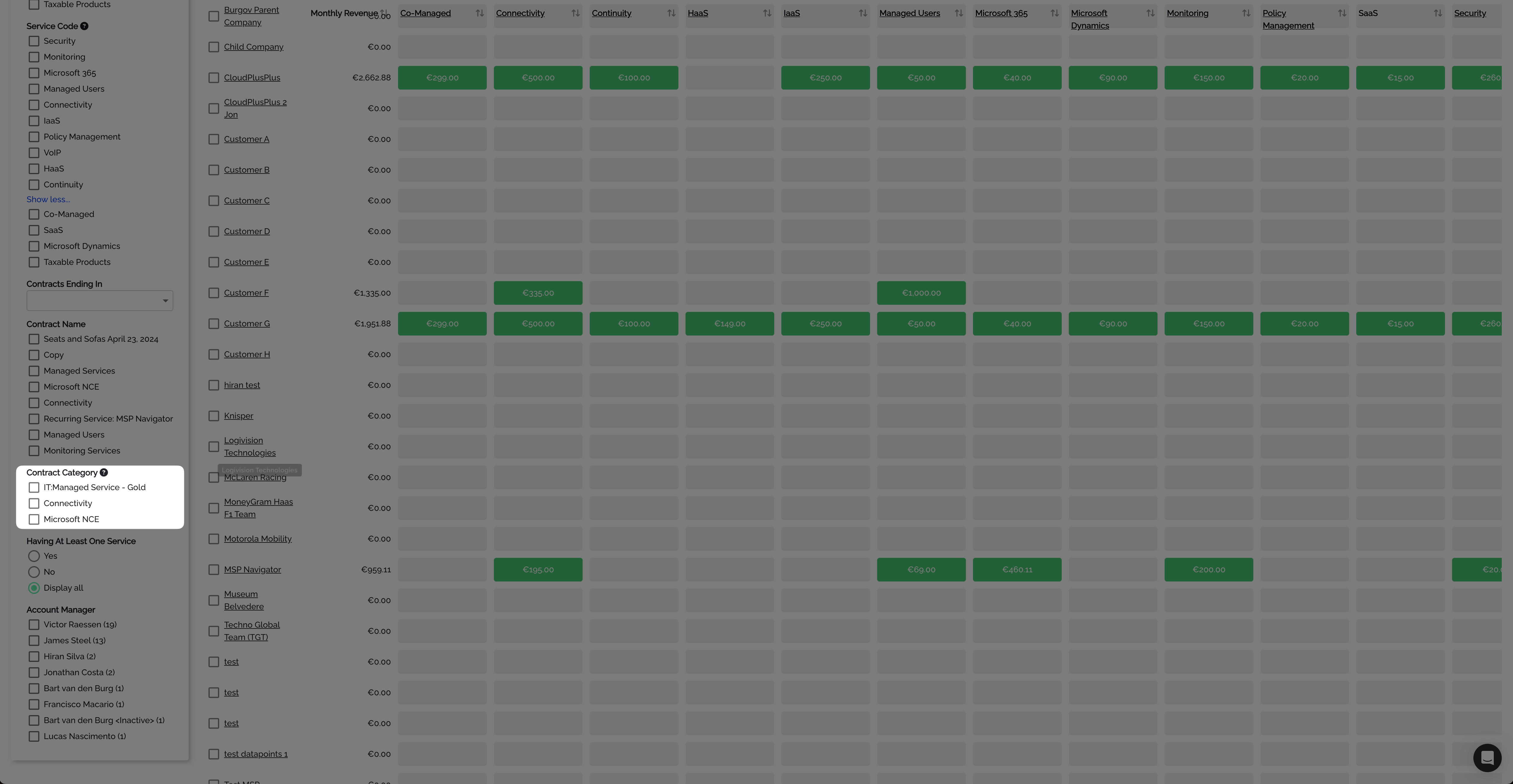
Contract Category and Having At Least One Service filters Feb 20, 2026

Account Manager filter with customer counts per sales rep Feb 20, 2026

Having Underbilling Services filter (Yes/No/Display all) Feb 20, 2026
Managing columns
Admins can reorder service category columns by dragging in the Manage Columns panel. Column order is saved for all users. New categories from your PSA are automatically added, and stale categories are cleaned up.
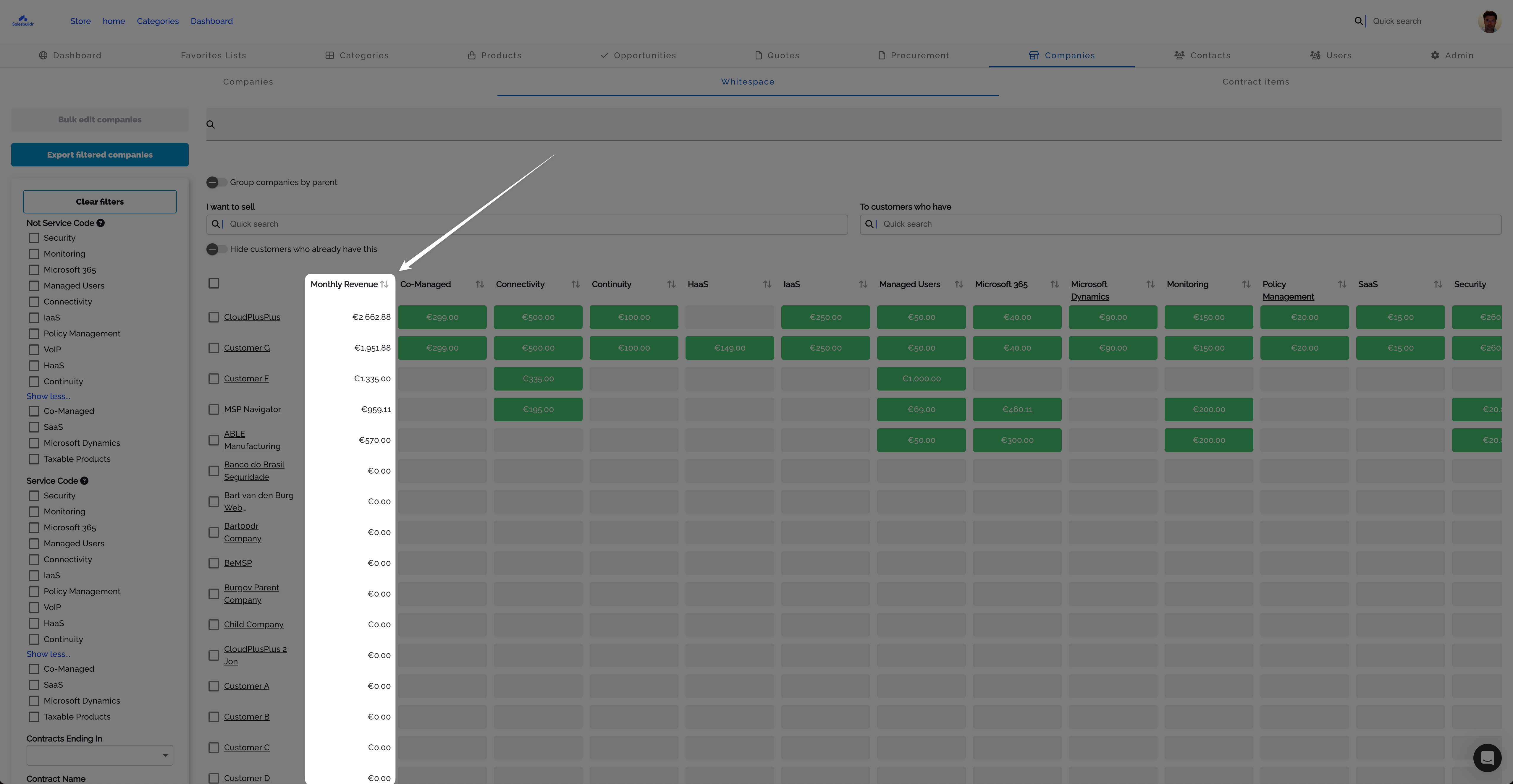
Whitespace matrix with Monthly Revenue column highlighted Feb 20, 2026
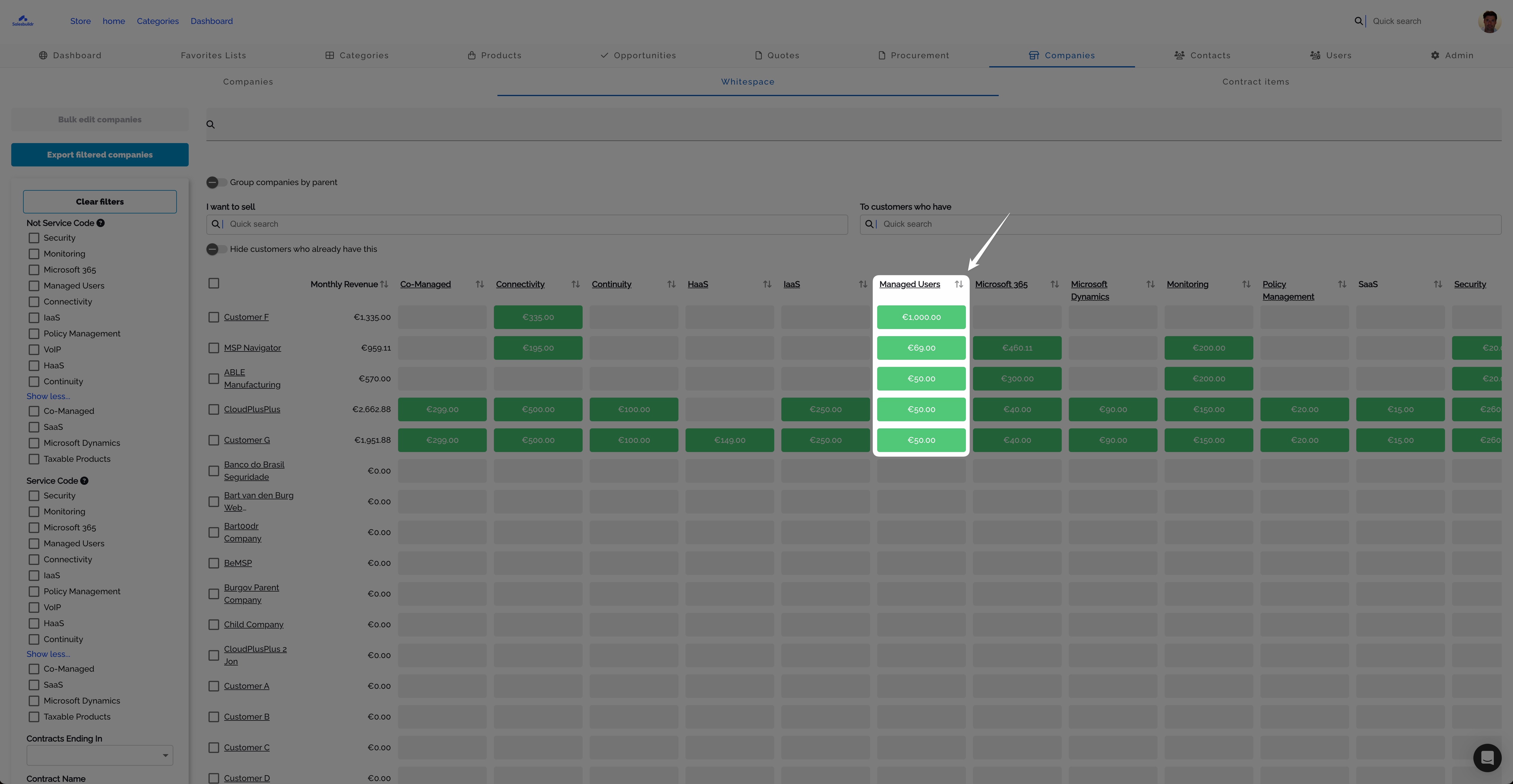
Individual service category column with per-customer revenue values Feb 20, 2026
Notes on tiles
Add notes to any tile to record context about a customer's service status — for example, "competitor already provides this" or "renewal scheduled for Q3." Notes are visible to all users with whitespace access.

Tile popover with Add note option and I want to sell filter active Feb 20, 2026
Campaign export
Export the filtered whitespace data as a CSV file for marketing campaigns. The export includes: company name, contact first/middle/last name, and email address.

Cell popover with revenue value and Add note button for campaign context Feb 20, 2026
Note: CSV export requires the export feature to be enabled.
Contract items
The Contract Items tab provides a detailed view of all contract line items across your customer base. Group items by:
Vendor and service
Customer and service
Service code and vendor
The table shows quantities, list price, revenue, vendor cost, markup/margin, and profit — giving you full visibility into your recurring services portfolio.
Contract expirations
The Contract Expirations tab shows a 12-month visual calendar of when customer contracts are due for renewal. This helps you proactively reach out before contracts expire and competitors can step in.

Contract expirations calendar with 12-month renewal opportunity values Feb 20, 2026
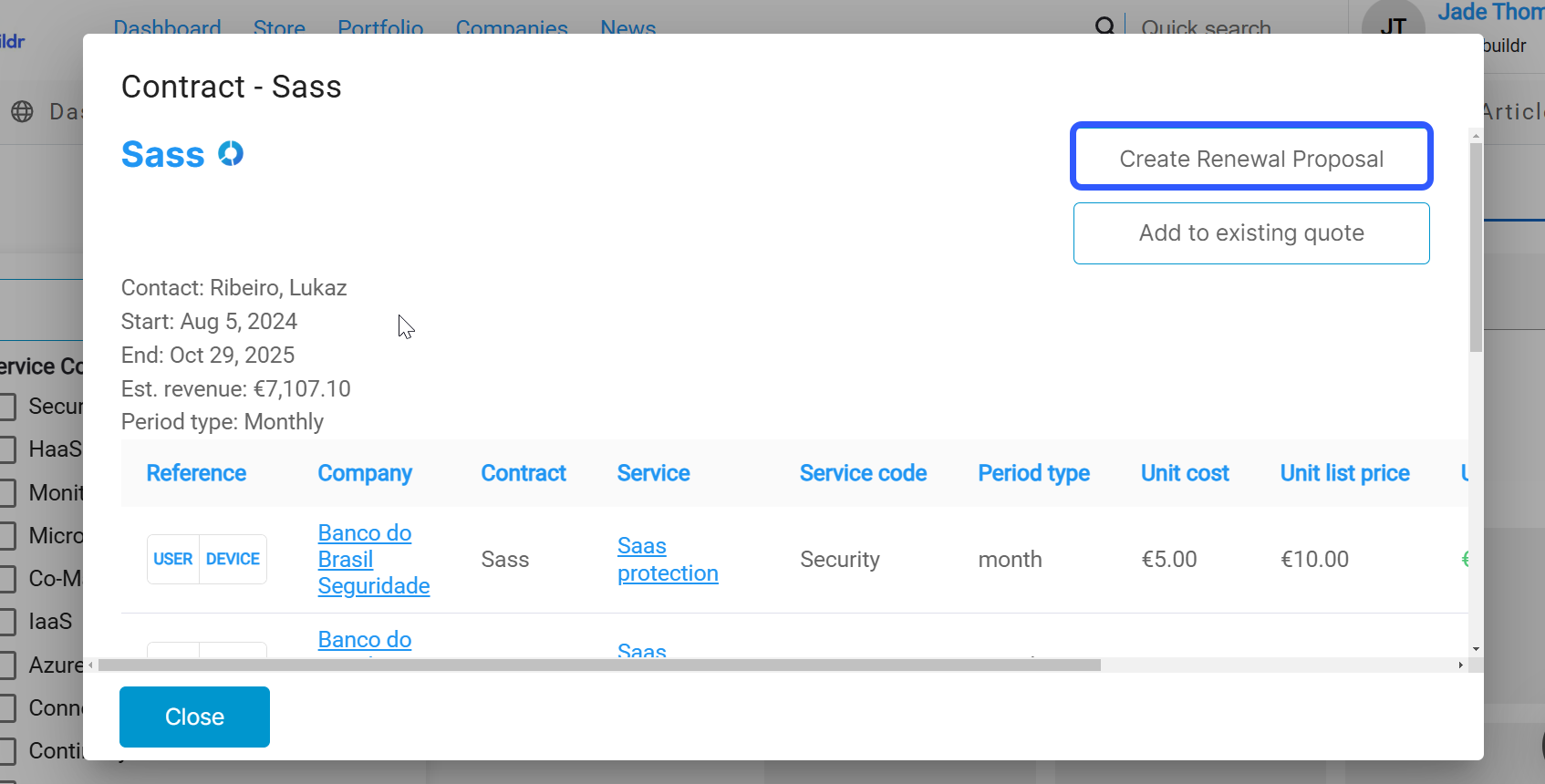
Contract detail dialog with Create Renewal Proposal button and line items Feb 20, 2026
Access it from the whitespace module's Contract Expirations tab, or via the dashboard's expiring contracts insight card.
See also
Autotask data in Whitespace — which contract, service, and billing-code fields appear on tiles and in the Contracts dialog
ConnectWise data in Whitespace — which agreement and addition fields appear on tiles and in the Contracts dialog
HaloPSA data in Whitespace — which contract and recurring-invoice fields appear on tiles and in the Contracts dialog
Users and devices - Whitespace
About Salesbuildr — Getting Started
Categories — Products
Companies — Companies
Email — Settings
Was this helpful?
Still need help? Ask the team