About Salesbuildr
What Salesbuildr is, how it works, and what you can expect once it's set up — a practical overview for new customers.
Written By Victor Raessen
Last updated About 2 months ago
Salesbuildr is a sales platform built for Managed Service Providers. It replaces the scattered combination of spreadsheets, shared folders, and email threads that most MSPs use to quote and sell — with one connected system your entire team works from.
The problem it solves
Most MSPs run sales ad hoc. Every rep quotes differently. Pricing lives in spreadsheets that nobody trusts. Cost prices, availability, and product specs have to be looked up manually across distributor portals — then copied back into a proposal, then copied again into the PSA. New hires take months to ramp because product knowledge and proposal standards live in people's heads, not in a system.
The result: a disconnected workflow where data is copied and pasted between platforms at every handover. Inconsistent proposals, no pipeline visibility, and revenue leaking through gaps nobody can see.
Where does your sales process sit?
Salesbuildr takes you straight to Level 3 — skip 6–18 months of Sales Ops setup.
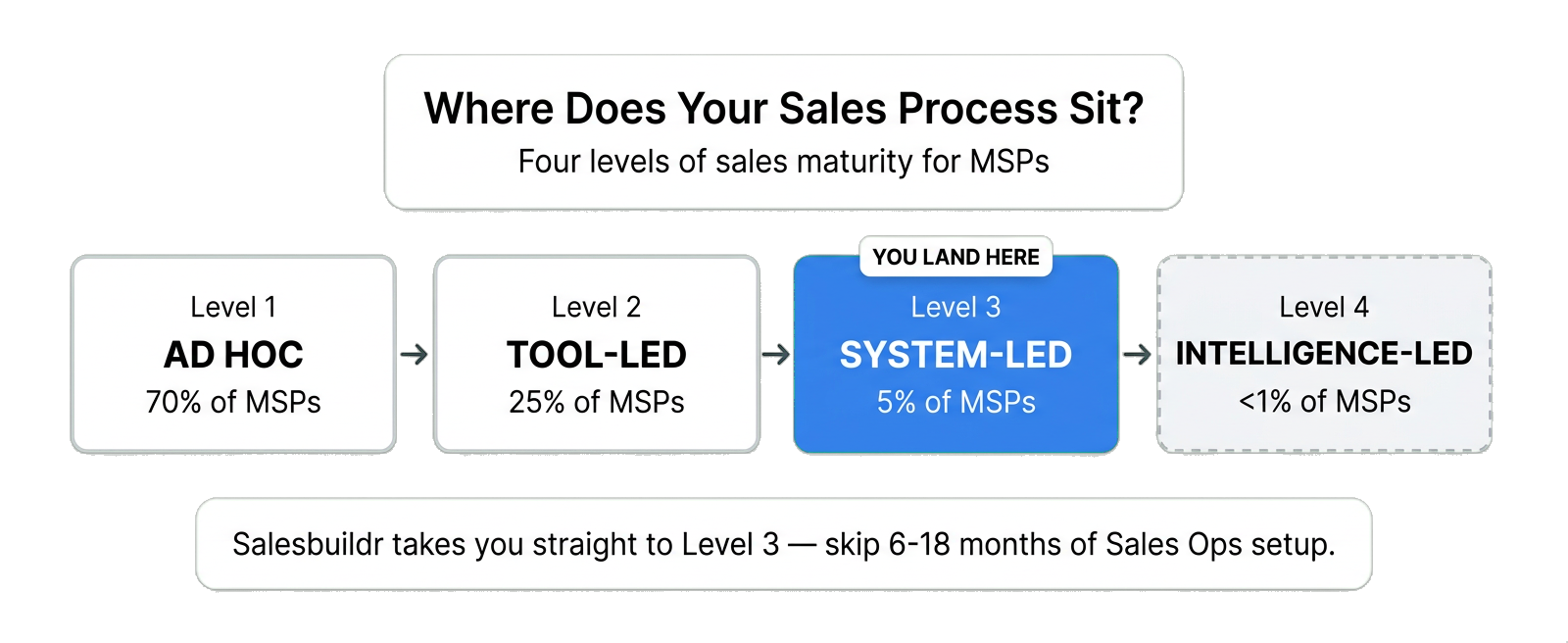
Four levels of sales maturity — Salesbuildr takes you to Level 3
What makes it a system
Everything in Salesbuildr connects back to your sales portfolio — the products, bundles, and services you sell. Define them once, and they flow into your proposal templates, your pricing rules, and your PSA. Distributor catalogs feed cost prices, stock availability, and product data directly into your portfolio — no more logging into separate portals and copying numbers across.
A change in one place flows everywhere. No copy-pasting between systems, no manual handovers. That's the difference between having tools and having a system.
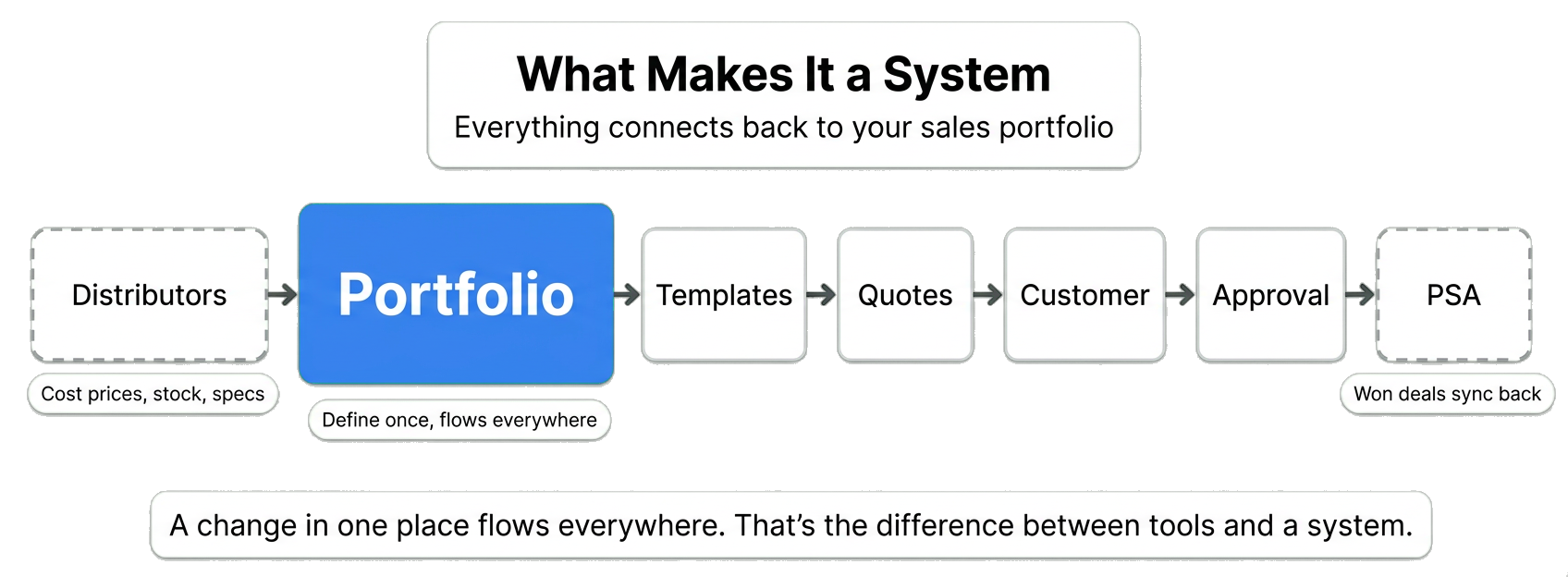
The connected system — define once in your portfolio, flows everywhere
Six capabilities in one platform
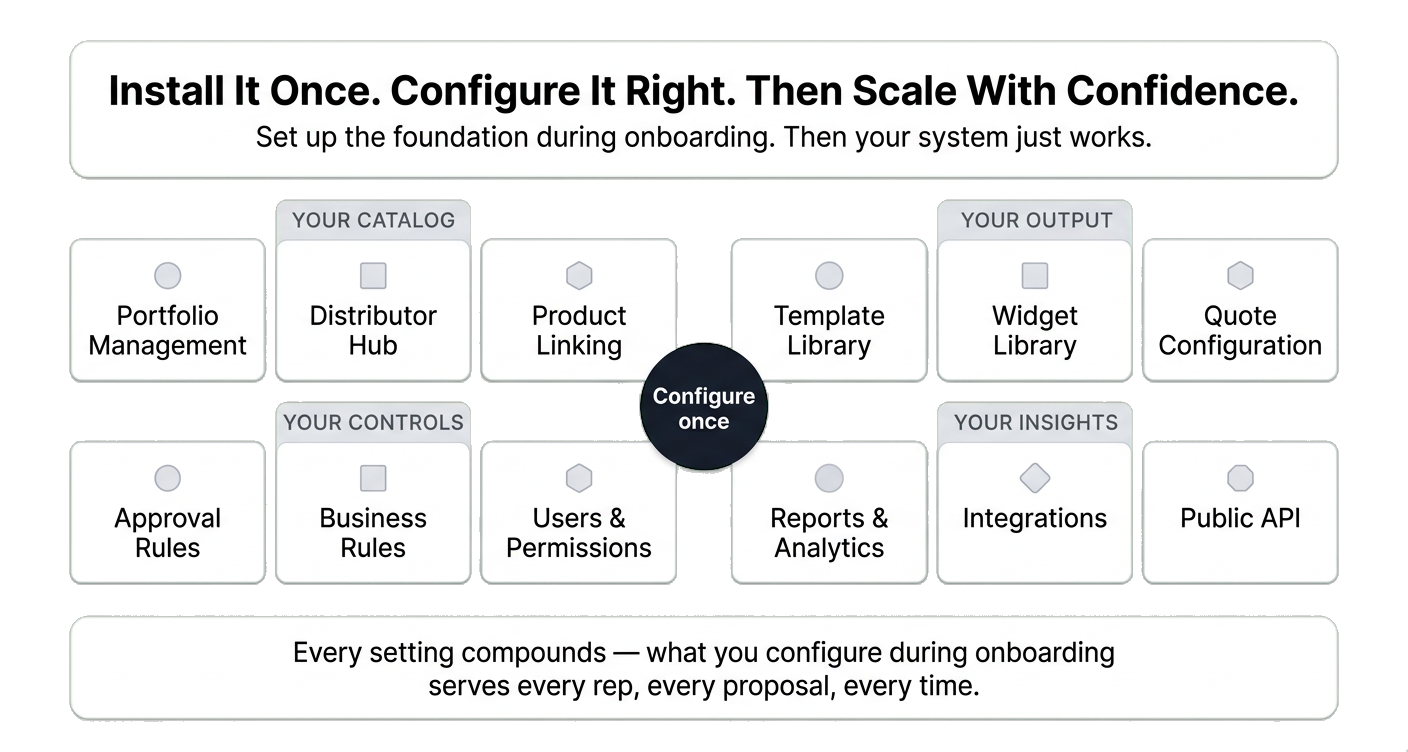
The foundation — configure once, scale with confidence
Your team's daily workflow
Salesbuildr supports the full customer lifecycle as a closed loop:
Nurture — Dashboard tracks every account. Contracts and revenue at a glance.
Discover — Whitespace analysis compares contracts against your full portfolio. Prioritised upsell opportunities.
Propose — Professional proposals in minutes from reusable templates with portfolio-linked pricing.
Close — Track views and comments. E-signature and approvals. Margin governance built in.
Handoff — Accepted quotes push to your PSA. Contracts and products sync. Operations picks up seamlessly.
Renew — Contract renewal tracking. Pre-built renewal proposals. Every renewal starts the next cycle.
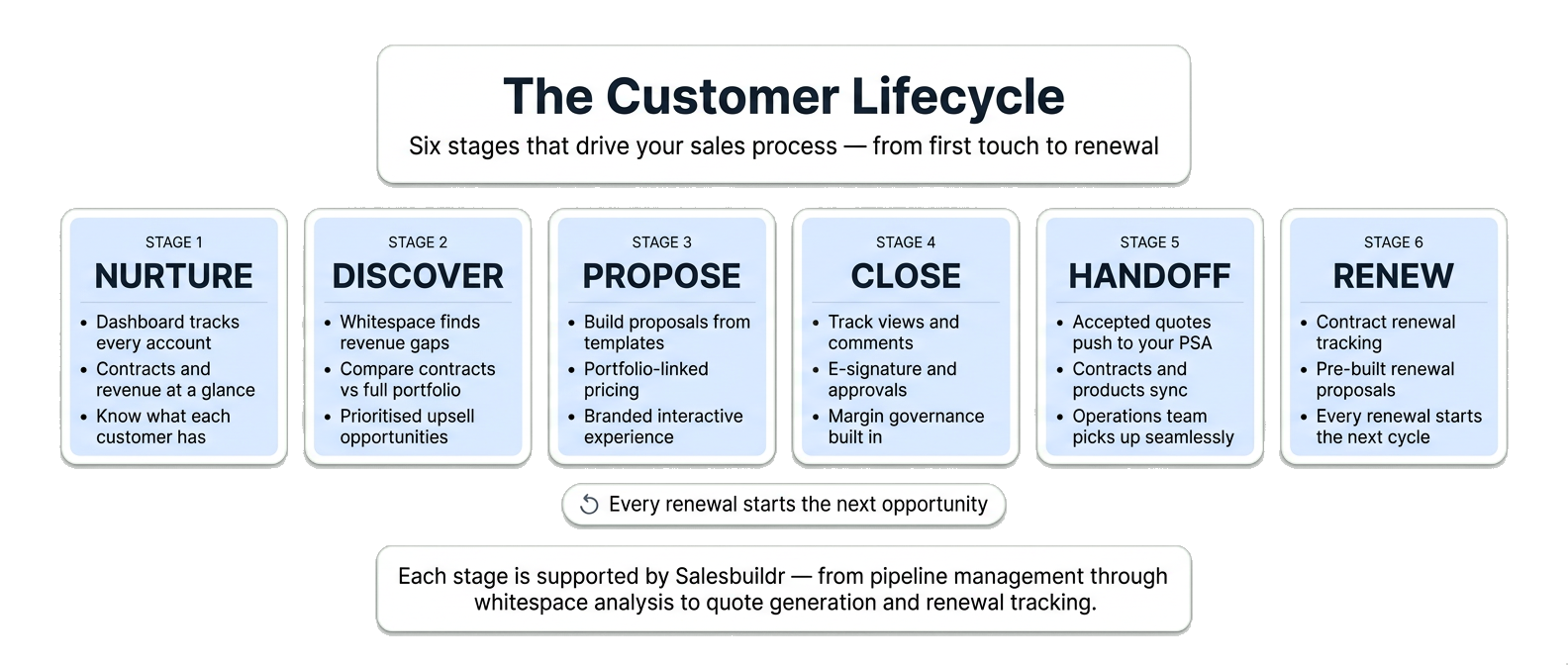
The Customer Lifecycle — every renewal starts the next opportunity
What to expect after setup
Once your portfolio is configured and your PSA is connected, day-to-day use is straightforward. Your team picks a template, the proposal pre-fills with products and pricing, the customer gets a branded interactive proposal, and the accepted deal flows back to your PSA automatically.
Ongoing maintenance
Salesbuildr is not zero-maintenance — but it's designed to make upkeep easy and visible. Your portfolio needs periodic attention:
End-of-life products — Salesbuildr flags products that distributors have discontinued. Archive them so they no longer appear in new proposals.
Stale products — See which products haven't been sold in a given period. Archive what your team isn't selling to keep the catalog clean and relevant.
Templates and widgets — When you update your portfolio — adding new products, retiring old ones, adjusting pricing — review the templates and widgets that reference them. A template is only as current as the products it contains.
Think of it as housekeeping, not rebuilding. Salesbuildr gives you the visibility to know exactly what needs attention and when.
Supported PSAs
Salesbuildr has a rich API to connect your own system as well as native, two-way integrations with HaloPSA, Autotask and ConnectWise where companies, contacts, contracts, opportunities, inventory and products sync. Signed proposals flow back as won quotes and updated opportunities including optional creating of Autotask post-sale tickets or Connectwise and HaloPSA sales orders for a seamless handover to operations.
Next step
If you're just getting started, the Getting Started guide walks you through onboarding — from connecting your PSA to creating your first real quote.
Was this helpful?
Still need help? Ask the team